Data extraction · Burbank, California
Documents go in.
A spreadsheet you can actually use comes out.
Invoices, filings, statements, reports, and authorized public records arrive in different layouts. You get one table, in the columns you asked for, with the source of every row recorded so you can check any line against the original.
From a single run. The failures are listed with the reason each one failed — they are not quietly dropped from the count.
One filing, six rows, and the page each one came from
A published document on the left; the spreadsheet rows it became on the right.

Three layouts in. One table out.
Invoices, statements and confirmations agree on nothing. The file you get back does.

A real, public-source sample you can open
A four-row extraction from an official Ohio Legislative Service Commission PDF. It includes the original source link, page citations, normalized amounts, and a total that reconciles to the source.
Grant awards PDF extraction
The workbook shows the exact delivery format: clean rows, clear source references, and a stated limitation instead of an invented claim about automation.
A recurring register, not another one-off conversion
This two-period demonstration shows what happens after the next batch arrives: append it to the register, reconcile totals, identify new and changed records, preserve the source trail, and isolate anything that needs a decision.
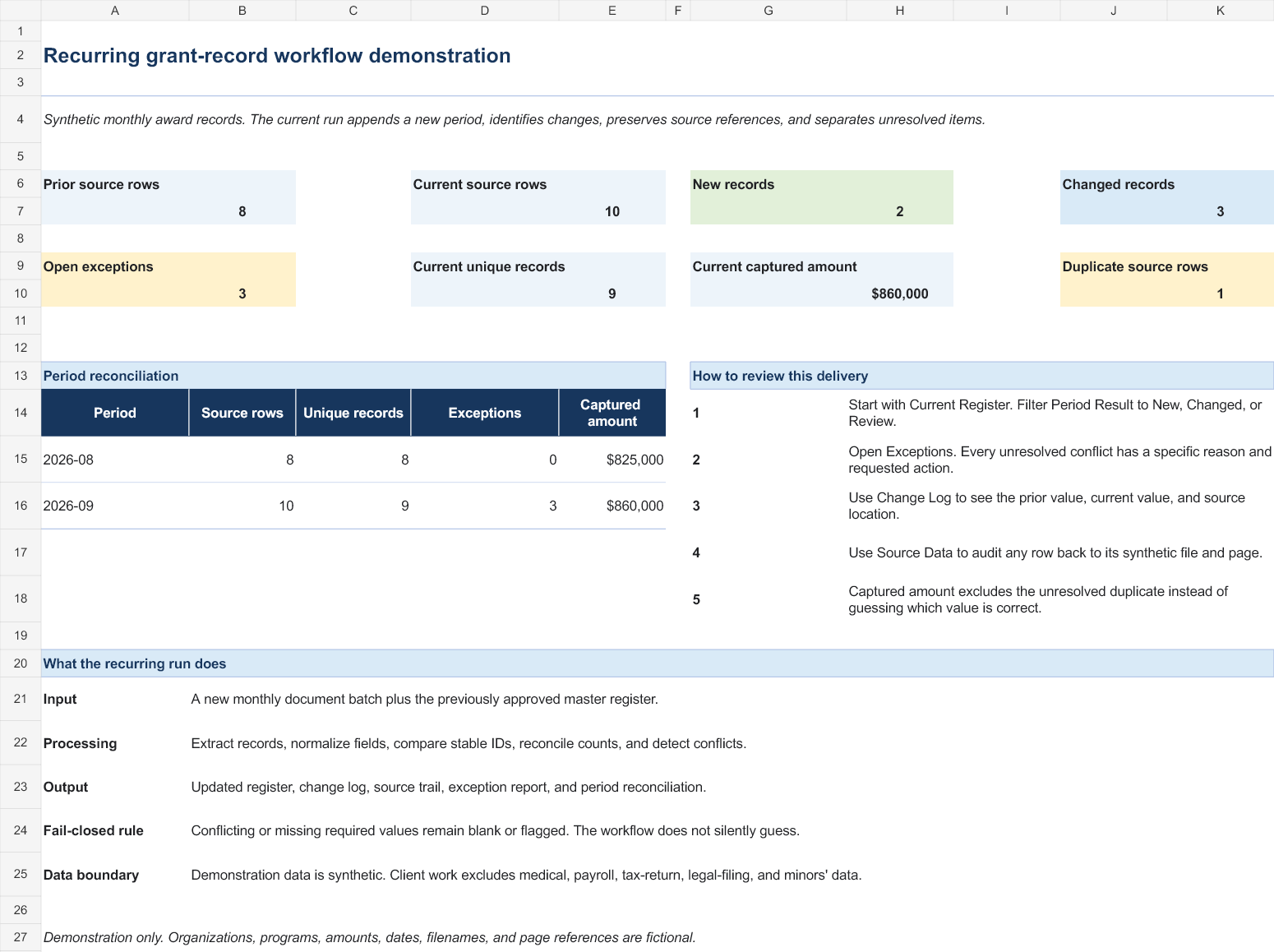
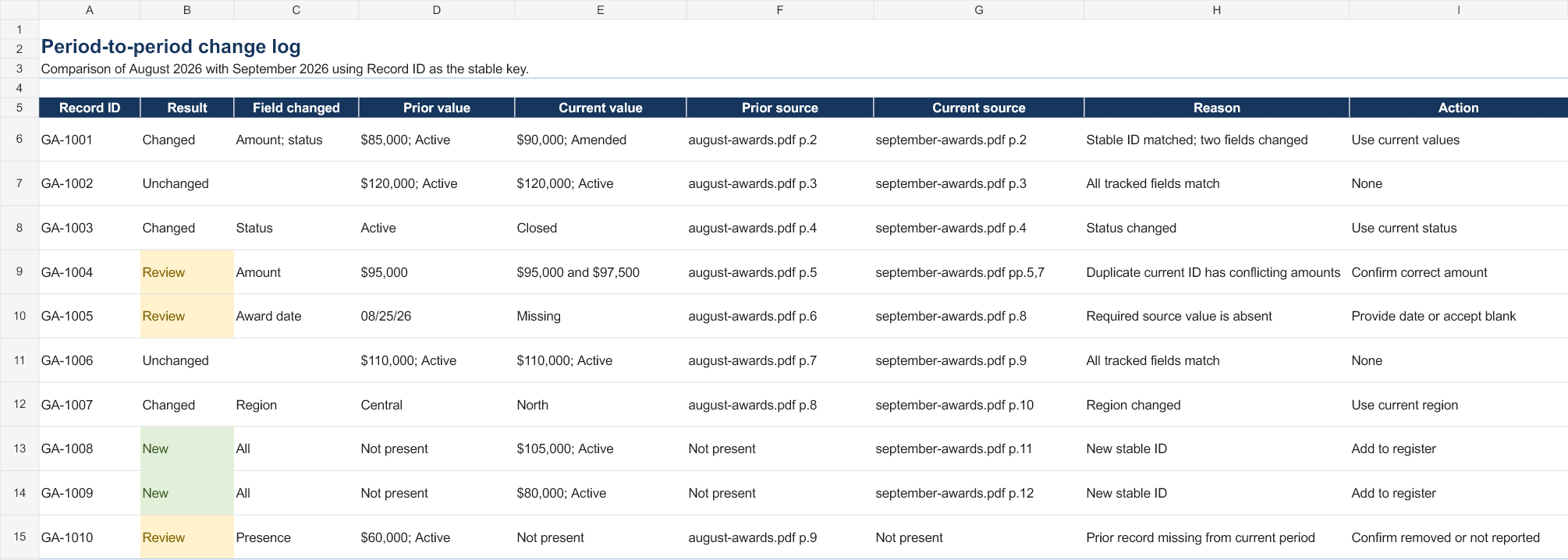
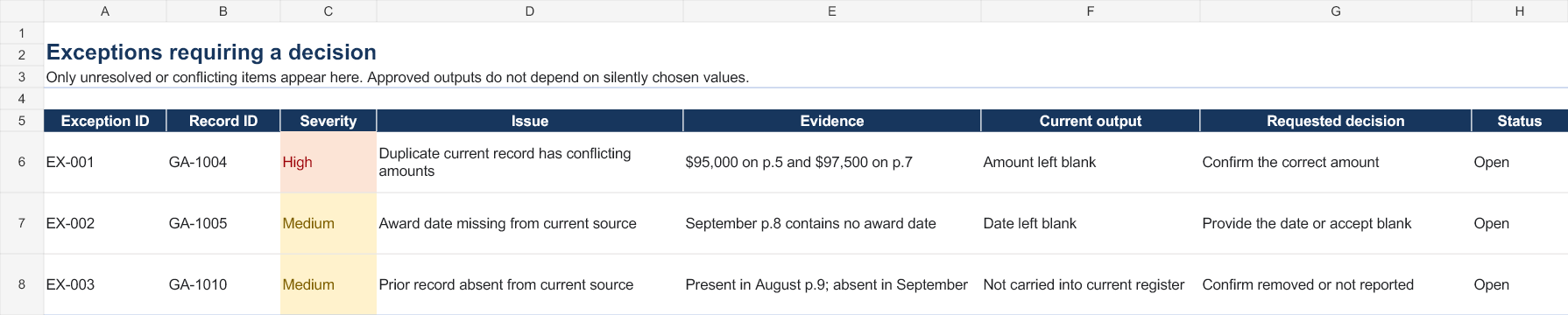
Demonstration boundary: every record and source filename in this workbook is fictional and was created to exercise the workflow. It proves the delivery structure and error-handling approach; it does not claim customer demand or unattended accuracy.
Recurring grant-record workflow
Five tabs: buyer summary, current register, change log, source data, and exceptions. The workbook is designed for reviewable recurring work, not as a black-box automation claim.
How I work
Four rules, agreed before anything starts.
Schema first
You tell me the columns you need before I begin. Every document is made to fit them, and anything that will not fit is reported to you rather than guessed at.
Every row cites its source
Each row carries the file and the page it was read from, so you can open the original and verify any line without taking my word for it.
Nothing is silently dropped
Any line that cannot be read with confidence is flagged in its own column with the reason. A short list of known problems beats a clean-looking file that is quietly wrong.
Normalised on arrival
Dates come back as ISO dates whatever format they went in as. Currency comes back as a number you can add up, not text with a symbol stuck to it.
Who you would be working with
Fox Parker
Data Science student · Pasadena City College
Second year, working toward an Associate in Data Science. Two internships at StoryArc, a UX/UI company — graphic design first, then data entry.
I deliver finished files against a deadline I have agreed to. I am not available for live calls during the working day, and I would rather say that up front than discover it is a problem later.